Your Business May Already Have the Perfect Place for AI
How AI can improve your existing software, support new development, and speed up everyday business processes.
An enquiry arrives by email. Someone reads it, enters the details into your software, assigns it to a colleague, and prepares a reply.
An invoice comes in. Someone opens the attachment, copies the information, checks the purchase order, and forwards it for approval.
A customer asks for an update. Someone searches through records before responding.
Your business has software. Yet your people still spend valuable time moving information, finding answers, and repeating the same tasks
These everyday gaps are often where AI can become useful.
You do not need to arrive with a complete AI strategy. You can start with a simpler question:
“Where is our team spending time on work that could be easier?”
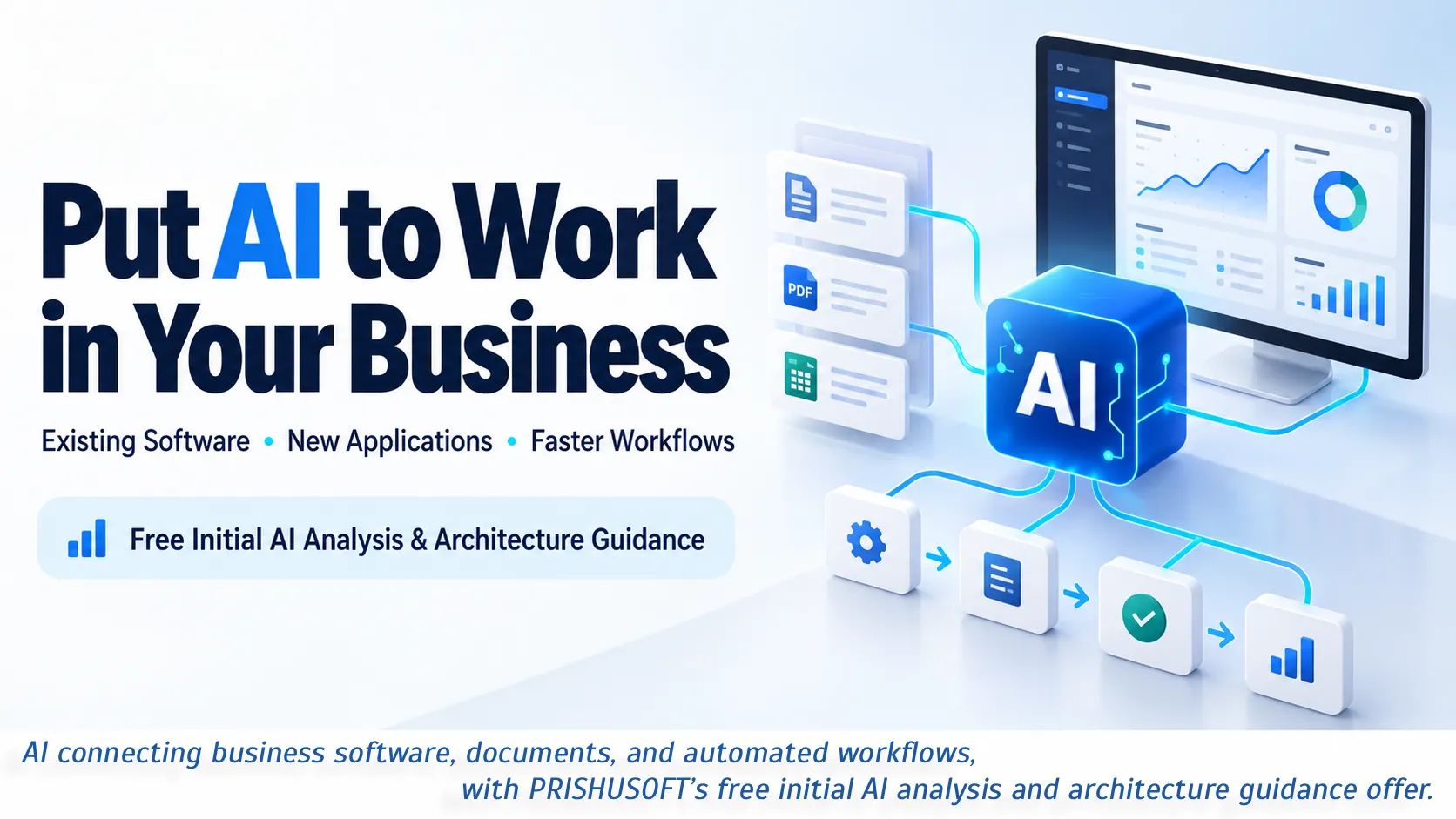
Put AI to work inside the software you already use
Introducing AI does not automatically mean replacing your current systems.
Depending on your software, data access, and integration options, AI capabilities can be added to an existing CRM, ERP, customer portal, mobile application, or internal business tool.
Here are a few practical possibilities:
Handle enquiries faster:
Read incoming messages, identify the request, extract relevant details, and prepare a response for your team to review.
Find information more easily:
Let employees ask questions about approved company documents instead of searching through folders.
Reduce document entry:
Extract information from invoices, forms, and purchase orders, with validation and review for uncertain details.
Make customer history easier to understand:
Summarise previous conversations, open issues, and recent activity before a call.
Support reporting:
Turn selected business data into a readable summary, with access to the underlying figures for verification
Imagine opening a customer record and seeing a useful summary of what happened, what remains unresolved, and what needs attention.
That is a concrete AI feature with a clear purpose.
Building new software? Design AI around the work people need to do
When developing a new application, there is an opportunity to consider AI from the beginning.
The important question is where it makes the product more useful.
A customer portal could help users find answers from approved service documents. A business application could turn uploaded documents into draft records. A service platform could summarise requests and help coordinators prepare the next step.
For example, a quotation system could:
Read a customer’s requirement.
Identify missing information.
Suggest relevant services from an approved catalogue.
Prepare a draft quotation using defined pricing rules.
Send it to the right person for approval.
The team keeps control of pricing and commitments while spending less time preparing the first draft.
Designing this properly means considering permissions, data quality, integrations, operating costs, and review steps alongside the AI feature itself.
Speed up the processes between your systems
Sometimes the biggest delay sits between the tools you already have.
An employee copies an email into a spreadsheet. Another person creates a task. Someone else updates the CRM. A manager then asks for a progress summary.
AI and workflow automation can work together across these steps.
AI can help interpret an unstructured message or document. Defined workflow rules can then route the information, create a draft record, request approval, or notify the responsible person.
Practical examples include:
Sales:
Turn enquiries into structured lead details and draft personalised follow-ups.
Customer support:
Categorise requests, suggest answers, and escalate cases that need a person.
Operations:
Summarise job updates and highlight missing information.
Finance administration:
Extract invoice details and flag potential mismatches for review.
Internal knowledge:
Help employees find relevant policies, procedures, and product information.
The value comes from reducing the repeated effort across a complete process.
How do you know where AI will actually help?
Start with the work your team repeats every week.
Ask:
What information do we enter more than once?
Which documents take the most time to read or process?
What questions do customers or employees repeatedly ask?
Where does work wait because someone must interpret, check, or summarise information?
Which task creates the most avoidable back-and-forth?
You do not need technical answers. A description such as “our team spends too much time reading enquiries and preparing quotations” is enough to begin a useful discussion.
It is also worth separating tasks that need AI from tasks that only need a better integration or a straightforward automation rule. That distinction helps keep the solution practical and the cost justified.
Start with one process and measure the difference
A focused first implementation gives you something concrete to evaluate.
Choose a recurring task with accessible data and a clear review process. Measure how it works today, then compare the results after a pilot.
Useful measures include processing time, correction rates, response time, and cost per completed task.
For example, an invoice pilot should be judged on how much checking and correction it requires, alongside how quickly it extracts information.
AI can make mistakes. Useful business software accounts for that with validation, appropriate access controls, and human review where it matters.
A successful first step gives you evidence for what to expand next.
How PRISHUSOFT helps you find the right starting point
You may already see the potential for AI but still have questions:
Can it work with our existing software? Is our data suitable? What should we automate first? Will the improvement justify the investment?
PRISHUSOFT offers a free initial AI opportunity analysis and architecture discussion to help you answer those questions.
Bring us your existing software, a new product idea, or a business process that takes too much manual effort.
Together, we can:
Understand how the process works and where time is being lost.
Identify useful opportunities for AI, automation, and software integration.
Discuss how a solution could fit your existing systems.
Outline an initial architecture and a practical first implementation.
Identify data requirements, review steps, and measures of success.
From there, PRISHUSOFT can support the software development, AI integration, testing, and ongoing improvements needed to put the idea into practice.
You do not need to know which AI model to choose or arrive with a technical specification. Start by showing us the work you want to improve.
Tell us:
“This is our software. This is the process that slows us down. How could AI help?”
Get in touch with Prishusoft – your trusted partner for custom software development. Whether you need a powerful web application or a sleek mobile app, our expert team is here to turn your ideas into reality.